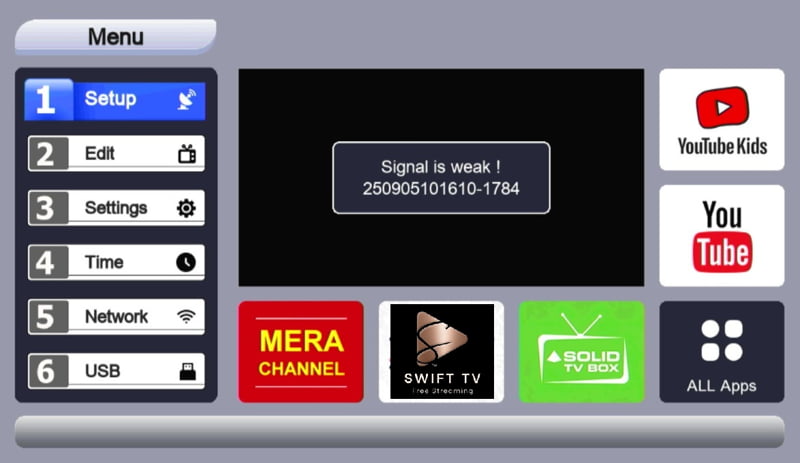
How to Stream Mobile Media to TV with a DLNA-Enabled Set-Top Box
Views: 1Do you have a DLNA-enabled set-top box at home? If yes, then you can use it to watch offline media files and mirror your mobile screen on your TV using the FTA Server app. DLNA is a useful local network feature that allows supported devices to communicate with each other over the same Wi-Fi…


Views: 1
Do you have a DLNA-enabled set-top box at home? If yes, then you can use it to watch offline media files and mirror your mobile screen on your TV using the FTA Server app.
DLNA is a useful local network feature that allows supported devices to communicate with each other over the same Wi-Fi network. If your set-top box supports DLNA, you can connect your mobile phone to your TV setup and enjoy your personal media on a bigger screen.
What is DLNA?
DLNA stands for Digital Living Network Alliance. It is a media-sharing technology that helps compatible devices share videos, music, and photos over a local Wi-Fi or LAN network.
For example, if your set-top box is DLNA-enabled, your mobile phone can send media files or screen content to your TV through the set-top box. This makes it easy to enjoy your mobile content on a large TV screen without copying files to a USB drive.
Can You Mirror a Mobile Screen with DLNA?
Yes, if your set-top box supports DLNA and your mobile device is connected to the same Wi-Fi network, you can use a supported app to mirror or stream your mobile content to your TV.
For this, you can download the FTA Server app from the Google Play Store. This app helps your mobile device work like a small local media server so that compatible DLNA set-top boxes can detect and play your content on TV.
Requirements for DLNA Screen Mirroring
Before starting, make sure you have:
* A DLNA-enabled set-top box
* A TV connected to that set-top box or DLNA-enabled TV.
* An Android mobile phone
* FTA Server app installed on your phone
* Same Wi-Fi network for both mobile and set-top box
* DLNA feature enabled in your set-top box
If all these requirements are ready, you can start streaming or mirroring your mobile screen and media files.
How to Mirror Screen with DLNA Feature?
Follow these simple steps:
1. Connect Both Devices to the Same Wi-Fi
First, connect your Android mobile phone and DLNA-enabled set-top box to the same Wi-Fi network. DLNA works through the local network, so both devices must be connected to the same router.
2. Enable DLNA on Your Set-Top Box
Open your set-top box menu and check for options like:
* DLNA
* Media Centre
* Network Media
* Media Player
* Local Network
* DMR / Digital Media Renderer
The option name may be different depending on your set-top box or TV model.
3. Download FTA Server App
Now download the FTA Server app from the Google Play Store on your Android phone.
The app can help your phone broadcast local media or screen content to compatible devices available on the same network.
4. Open the FTA Server App
After installing the app, open it and allow the required permissions. Make sure your phone remains connected to the same Wi-Fi network.
5. Scan or Select Your Set-Top Box
Your DLNA-enabled set-top box may appear in the app or in your set-top box media player section. Select your device when it appears.
6. Start Streaming or Mirroring
Now you can start streaming supported offline media files or mirror your mobile screen to your TV. Your TV will display the content through the connected set-top box.
Watch Offline Media Files on TV
DLNA is very useful for watching offline media files. If you have videos, movies, music, or photos saved on your mobile phone, you can play them on your TV without using a USB drive.
This is useful when:
* You want to watch mobile videos on a bigger screen
* You have downloaded media files on your phone
* You do not want to transfer files to a pen drive
* You want to play local content through your set-top box
* Your TV does not directly support smart features
Why is a DLNA-Enabled Set-Top Box useful?
If you already have a DLNA-enabled set-top box, you can use it as a local media receiver. It can help you enjoy more features from your existing TV setup.
If you are planning to purchase a new set-top box, you can check whether it supports DLNA. A DLNA-enabled set-top box can be useful for watching offline media files and streaming mobile content to your TV.
Benefits of Using the FTA Server App
The FTA Server app makes your mobile device useful as a local media server. With a compatible set-top box, you can enjoy your own content on TV.
Key benefits include:
* Stream mobile media files to TV
* Use your phone as a local media server
* Watch offline videos on a bigger screen
* Connect with DLNA-supported set-top boxes
* No need to copy files to USB every time
* Useful for local network entertainment
Important Things to Remember
DLNA performance depends on your set-top box, mobile phone, Wi-Fi speed, and supported media formats. Some set-top boxes may support only media streaming, while some may support more advanced features.
For best results:
* Keep phone and set-top box on the same Wi-Fi
* Use a stable router connection
* Keep the FTA Server app running while streaming
* Make sure DLNA is enabled on your set-top box
* Use supported video and audio formats
A DLNA-supported set-top box is a useful choice for users who want local media playback, mobile-to-TV streaming, and a better entertainment experience without complicated setup.
Note: If your set-top box supports DLNA/UPnP media playback, you can use the FTA Server app to stream your own offline media files to your TV. Screen mirroring or live screen casting may depend on your set-top box model and the features it supports.
FAQs
What is DLNA in a set-top box?
DLNA is a local network media-sharing feature. It allows compatible devices like mobile phones, TVs, and set-top boxes to share and play media files over the same Wi-Fi network.
Can I mirror my mobile screen using DLNA?
If your set-top box supports DLNA and your mobile app supports streaming or mirroring features, you can show your mobile content on your TV through the set-top box.
Which app is required for DLNA screen mirroring?
You can use the FTA Server app from the Google Play Store to stream or mirror mobile content with a compatible DLNA-enabled set-top box.
Do I need the internet for DLNA?
DLNA mainly works on a local Wi-Fi network. The Internet may not be required for offline media streaming, but both devices should be connected to the same network.
Can I watch offline videos from my mobile on TV?
Yes, if your set-top box supports DLNA, you can play offline videos, music, and photos from your mobile phone on your TV.
Why is my set-top box not showing in the app?
Make sure both devices are connected to the same Wi-Fi network. Also, check that DLNA or media receiver mode is enabled on your set-top box.
Is DLNA available in every set-top box?
No, every set-top box does not support DLNA. You should check the product features before buying or using the device.