How to Watch Set-Top Box SAT>IP Channels on Mobile?
Views: 0Did you know you can enjoy satellite free-to-air TV channels directly on your smartphone without using the internet? If your set-top box supports SAT>IP technology, you can stream channels seamlessly to your mobile device. What is SAT>IP? SAT>IP is a standard that converts satellite TV signals into IP (Internet Protocol) streams. Instead of needing…


Views: 0
Did you know you can enjoy satellite free-to-air TV channels directly on your smartphone without using the internet? If your set-top box supports SAT>IP technology, you can stream channels seamlessly to your mobile device.
What is SAT>IP?
SAT>IP is a standard that converts satellite TV signals into IP (Internet Protocol) streams. Instead of needing a dedicated cable connection, your set-top box can broadcast these signals over your home Wi-Fi network. This means your phone or tablet can pick them up just like any other online stream—except no internet is required.
Step-by-Step Guide
Check SAT>IP Support –
Ensure your set-top box has the SAT>IP feature enabled. Many modern boxes, including those used for DD Free Dish, support it.
Turn On SAT>IP –
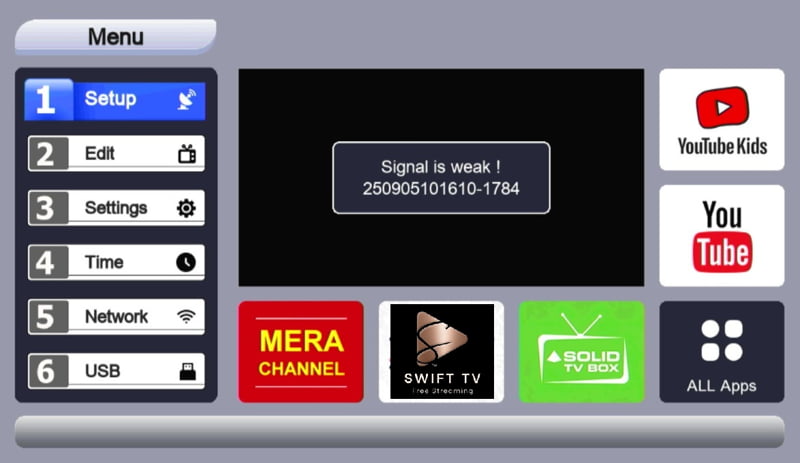
Go into your set-top box settings and activate the SAT>IP option.
Connect to Wi-Fi –
Your set-top box should be connected to your home Wi-Fi.
Connect your smartphone to the same Wi-Fi network.
Install an FTA Player App –
Download a Free-to-Air (FTA) player app from your app store. This app will scan for available SAT>IP streams.

Scan for Channels –
Open the FTA player, run a scan, and you’ll discover up to 100 free TV channels available right on your mobile.

Beyond Satellite Channels –
The beauty of using an FTA player is that it’s not limited to satellite streams. With the same app, you can also:
- Watch local network streams from DVRs.
- Access live feeds from IP cameras.
- Stream content from an FTA Server app.
- Play media from a home media server.
- Connect to DLNA or UPnP devices on your network.
This makes your smartphone a powerful hub for all your home entertainment and surveillance streams.
Why This is Great –
No Internet Needed: Perfect for areas with limited connectivity.
Portable Viewing: Watch your favourite DD Free Dish channels anywhere in your home.
Free Access: Enjoy satellite free-to-air channels without subscriptions.
Versatile Streaming: Access not just TV, but DVRs, cameras, and media servers.
This setup transforms your smartphone into a portable TV, giving you access to dozens of channels without consuming data. It’s a smart way to make the most of your set-top box’s SAT>IP feature.